
For Sony Cameras
Control Multiple Cameras
Control up to 24 cameras for simultaneous and interval shooting.
Build a flexible multi-camera system and make every shoot more efficient.
Simultaneous Capture with Multiple Cameras
Designed for multi-camera setups using Sony cameras, GigaScope Capture brings shooting, review, and file organization into one clear workflow.
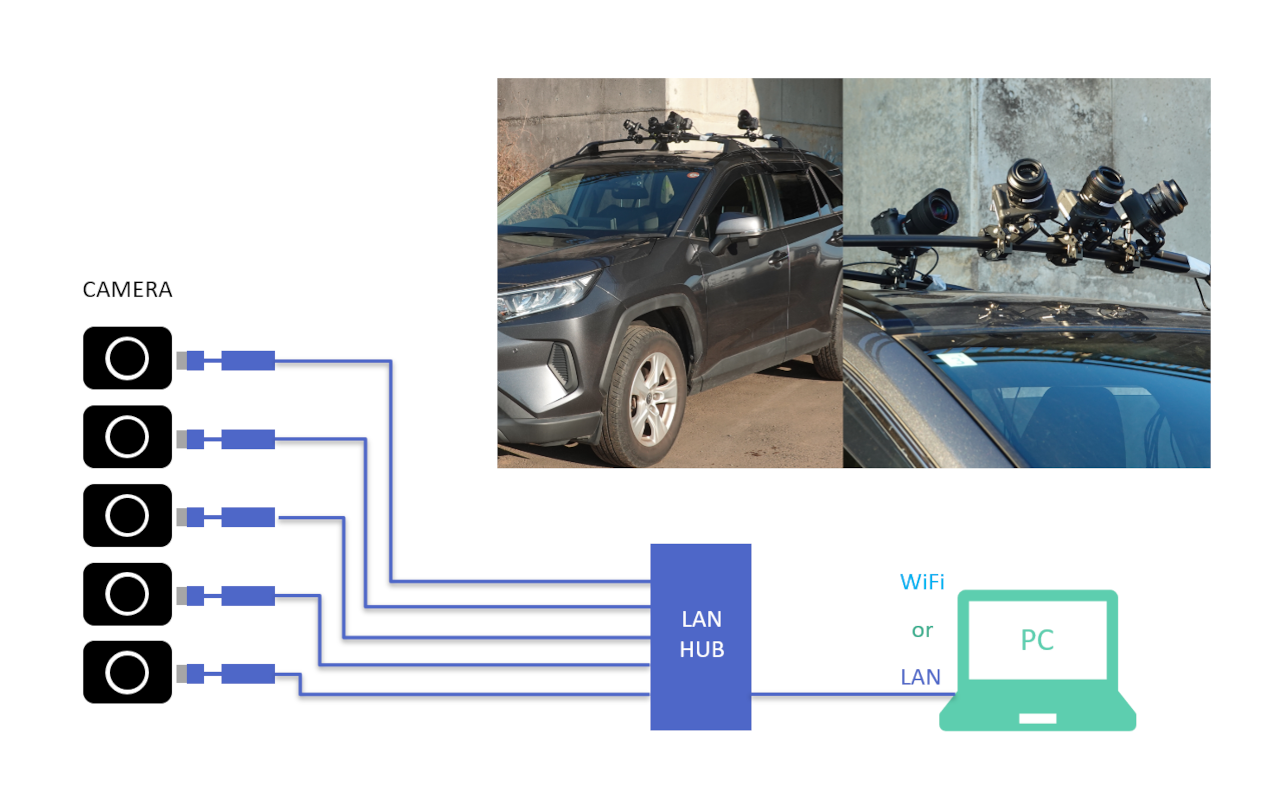
Remote Multi-Camera Control
- Control up to 24 cameras
- Mix and match supported camera models
- Connect cameras over wired or wireless networks
- View live feeds from every camera on one PC screen
- Control focus and exposure from one place
- Capture stills or video simultaneously or individually, with interval shooting support
Note: Software-only shutter control does not provide precision synchronization.
Precision-Synchronized Capture with the 61 MP Sony ILX-LR1
Add our purpose-built trigger and power supply box for the ILX-LR1 to capture precisely synchronized images for ultra-high-resolution imaging and 3D reconstruction.
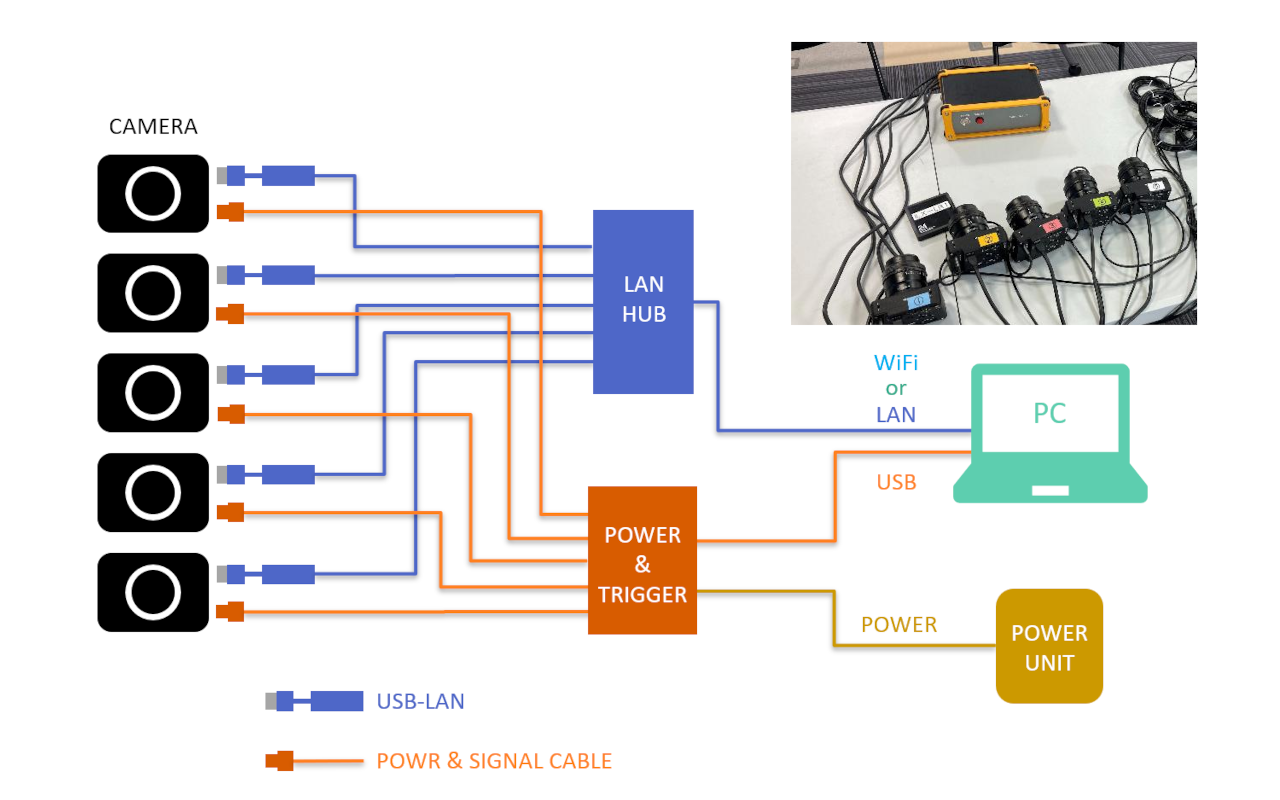
Precision Synchronization with Dedicated Hardware
- Supports the ILX-LR1 external trigger function
- Extend connections up to 10 meters with dedicated cables
- Supply power to connected cameras
- Power the trigger unit from an AC adapter or battery
- Release the shutter from the unit's front-panel button, a 3-meter wired remote, or the application
Familiar Camera Controls, Applied to Every Camera at Once
Configure and shoot using the same basic workflow as a single camera. Move naturally between individual and simultaneous control.
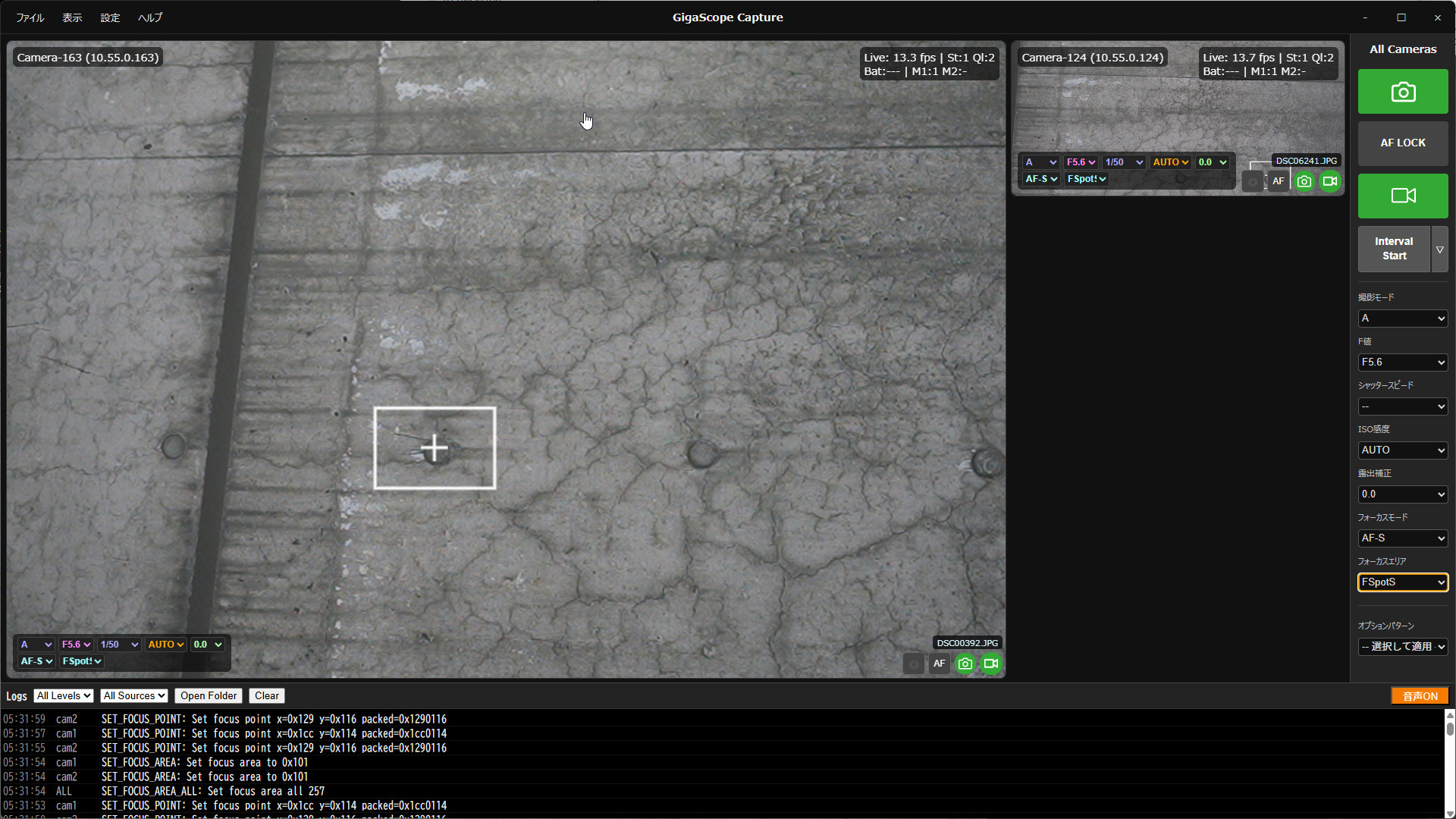
Complete the Shoot from One Screen
- Review the information needed to verify image quality on site
- Organize data for a smooth handoff to downstream tools such as GigaScope TraceMaker
- Streamline image management for inspection reports and damage drawings
Specifications
Overview
GigaScope Capture is a desktop application for imaging with multiple cameras.
Control cameras individually or together from the same screen, configure shooting conditions flexibly, and reduce the workload of on-site capture.
Typical Applications
- Remote-controlled capture using cameras mounted on a vehicle or robotic arm
- Segmented capture of large structures for ultra-high-resolution records
- Image acquisition for creating orthophotos of bridges, tunnels, and other infrastructure
Key Features
Capture Management
- Save and recall camera setting presets
- Keep a history of capture operations
Quality Review
- Preview images clearly for on-site quality checks
- Receive spoken notifications for key operations and errors
Integration
- Control capture from external applications such as GigaScope Atlas
- Share shooting parameters and related data
System Requirements
- OS: Windows 10 or 11 (64-bit)
- Memory: 8 GB minimum; 16 GB or more recommended for large image sets
- Storage: Images are saved to each camera's memory card
- Display: 1920 × 1080 or higher recommended
FAQ
You can also reach us through the contact form. We will be happy to help.
What kinds of projects is GigaScope Capture best suited for?
It is ideal for projects that acquire large numbers of images from multiple shooting positions or multiple cameras.
Can it be used with other applications?
Yes. Integration with GigaScope Atlas currently enables automatic capture at points defined on a map.
Other applications and programs can also control capture by exchanging data over HTTP according to the supported procedure.
Can I discuss my requirements before purchasing?
Yes. We can recommend an implementation based on your subject, camera setup, and field workflow.
We can also provide a complete equipment package and customize the system to meet your needs.
Where can I find pricing and license information?
Pricing and licensing are quoted individually. Please contact us using the form below.
Contact
Contact Us
Send us your questions, implementation inquiries, or other requests using the form below.
Contact Form
 https://technohighway.co.jp