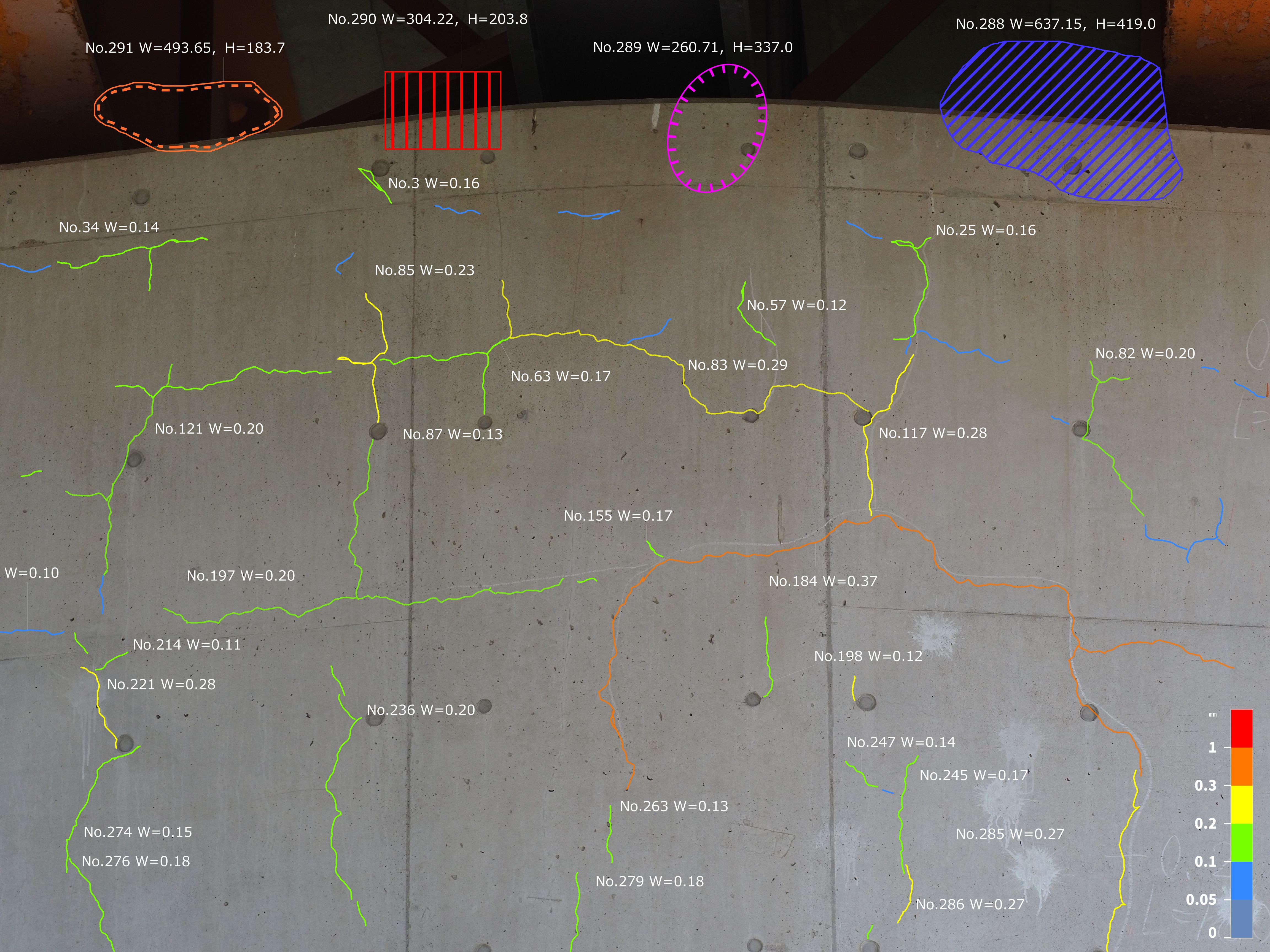
JPG: MLIT-Standard Color Coding 1 [View Larger Image]
Overlay detection results on the source image using MLIT-standard colors, with configurable line width, numeric labels, and a color bar.
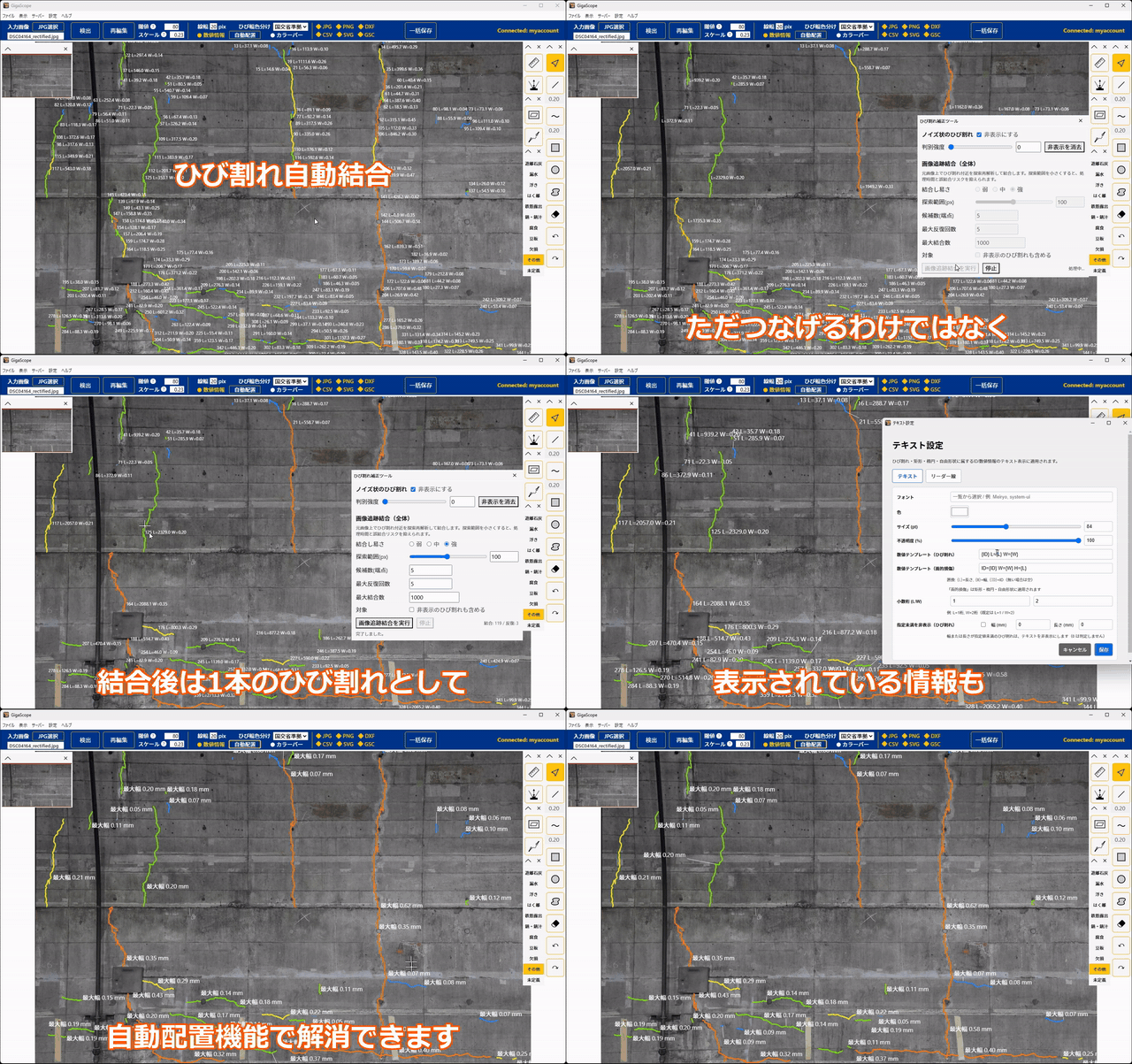
Display bridge and tunnel orthophotos at full resolution and edit them in one continuous workflow while zooming and panning freely. Perspective correction and scale calibration are simple, while high-accuracy automatic crack detection provides powerful support for damage drawing. Editing feels like using a familiar drawing tool, so no specialized CAD knowledge is required.
This application incorporates our C2finder technology, listed in the MLIT Inspection Support Technology Performance Catalog for bridges (BR010047-V0325) and tunnels (TN010019-V0225).
Export images, CAD drawings, and summary tables in formats that fit your workflow.
Apply color schemes and hatch patterns across the entire drawing, and customize text size, color, and formatting.
Overlay detection results on the source image using MLIT-standard colors, with configurable line width, numeric labels, and a color bar.
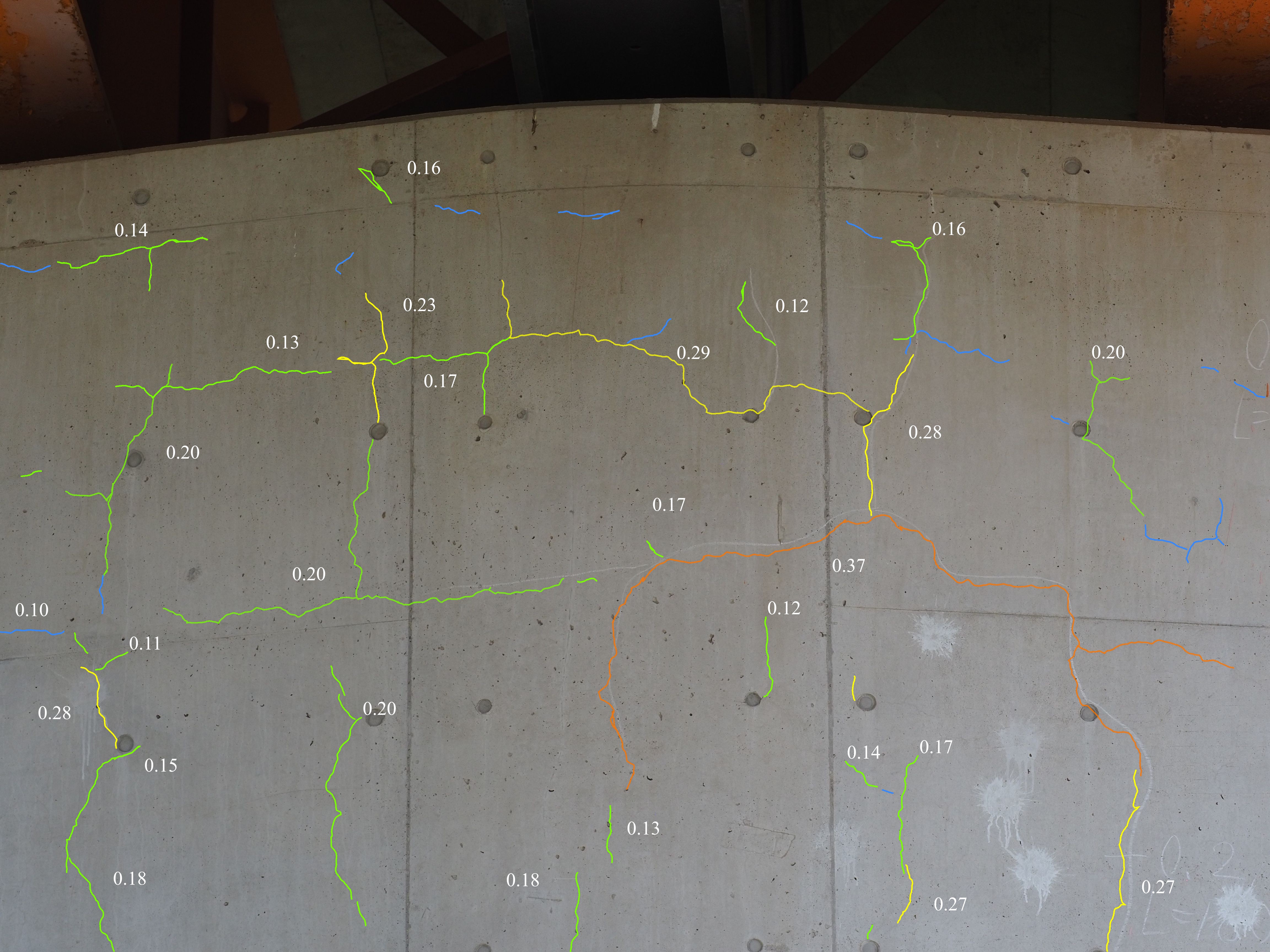
Overlay detection results using MLIT-standard colors, with numeric labels shown only for cracks 0.1 mm wide or greater.
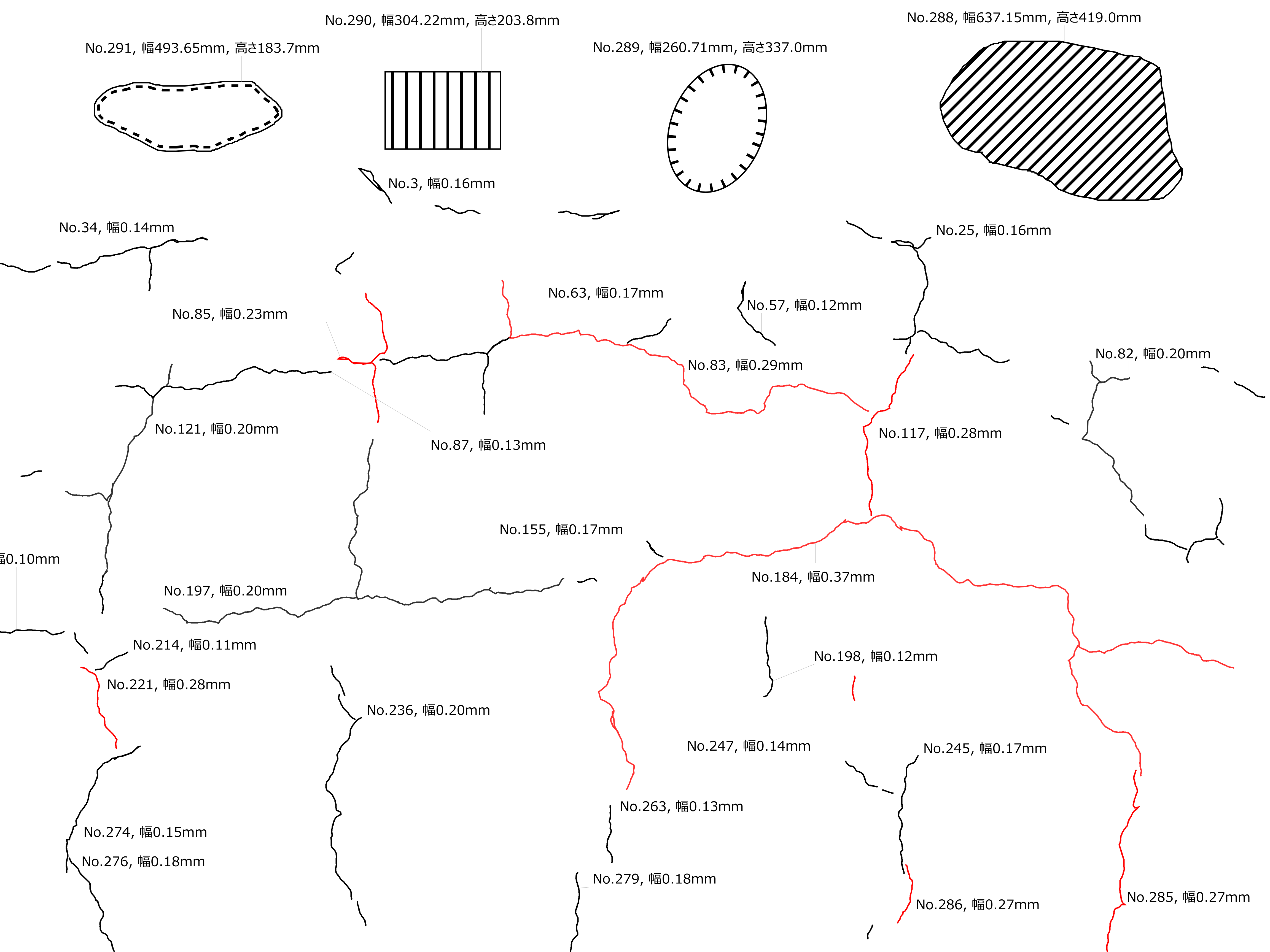
Output results on a white or transparent background, using black for cracks under 0.2 mm and red for cracks 0.2 mm or wider, with formatted ID and width labels.
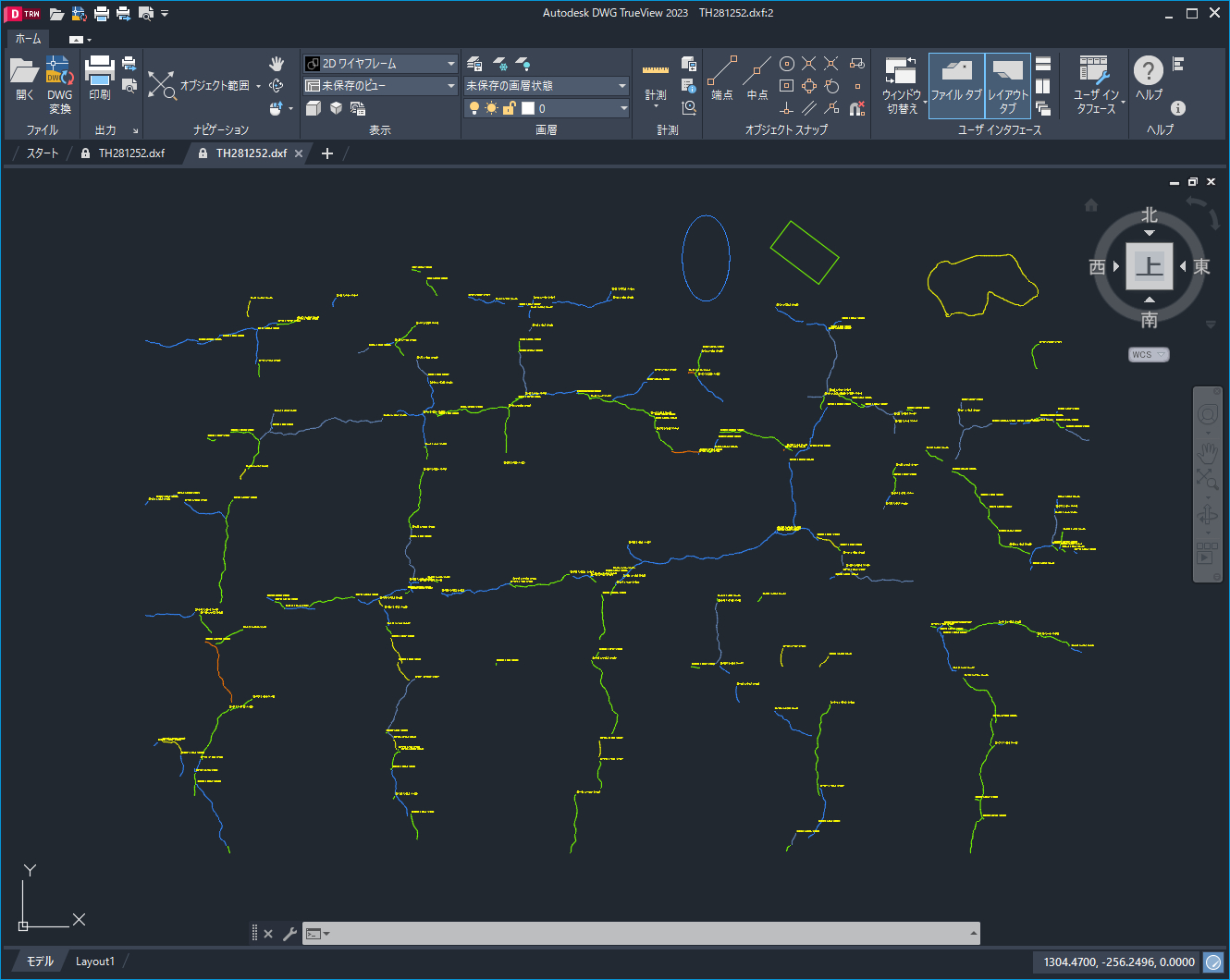
Export crack geometry, IDs, and width information in DXF format for use in CAD software.
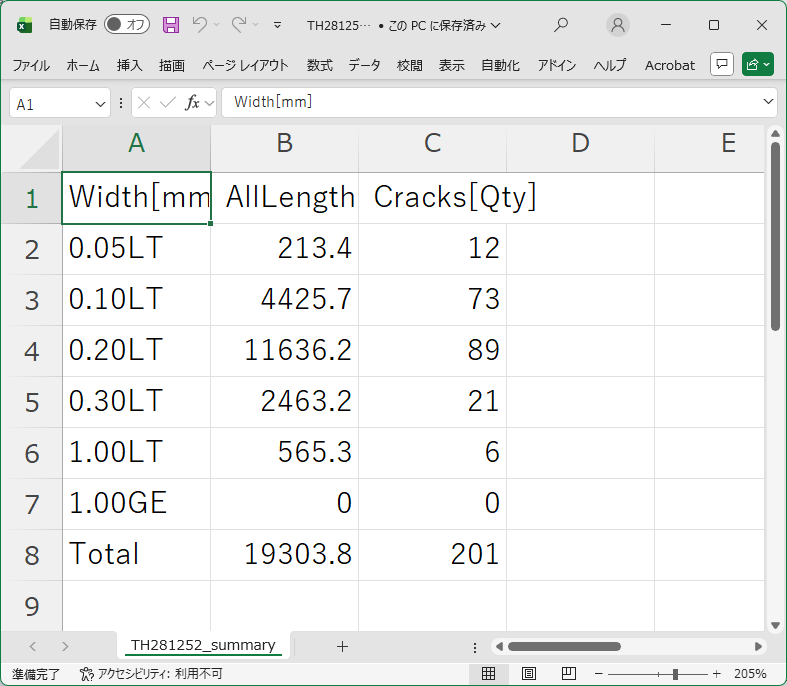
Export total crack length and count by width category, with an optional detailed list for each crack.
You can also contact us through our contact form. We will be happy to assist you.
GigaScope TraceMaker is provided under a perpetual license. Your license key will be sent by email after purchase.
No. GigaScope TraceMaker is sold as a one-time purchase and is not subscription-based.
Please follow the installation instructions provided after purchase.
Administrator privileges are generally not required, although this may depend on how your computer is managed.
If your company computer is subject to installation restrictions, please consult your IT administrator.
In Windows, open Settings, select Apps, then Installed apps, and uninstall GigaScope TraceMaker.
Start with Quick Start in the application's Help menu. It explains the basic workflow using screenshots of each screen.
The Help section also provides detailed explanations of individual features and a keyword search function. Please contact us if you need additional support.
Web browsers and image-editing applications may impose limits on image dimensions, memory usage, or processing capacity.
Even when an application theoretically supports very large images, practical performance is often limited by the available memory and hardware.
The Windows Photos application can display many large images because it is optimized primarily for image viewing.
GigaScope TraceMaker is optimized for smooth viewing and editing of gigapixel-scale images. Its automatic crack detection function also supports very large images.
Performance may still depend on your computer, and additional memory or other hardware upgrades may improve processing performance.
No. Image stitching and orthophoto generation are not included in GigaScope TraceMaker.
These capabilities are planned for a higher-tier version currently under development. An upgrade path for TraceMaker users is also planned.
GigaScope TraceMaker is a desktop application with cloud-based crack detection, providing a consistent workflow for images ranging from small files to gigapixel-scale datasets.
High-accuracy crack detection is available over the internet through the Mihari Net API. Mihari Net is developed and operated by TechnoHighway.
Across a wide range of image sizes, the application provides a smooth workflow from damage review and automatic detection to editing and final damage drawing creation.
Rate: USD 0.069 per input megapixel
Automatic crack detection uses the same detection engine as the web service below.
→ Automatic Crack Detection Web Service: https://mihari.net
Contact
Send us your questions, purchase inquiries, or other requests using the form below.
 https://technohighway.co.jp