A desktop app for working with huge JSON files
GigaScope JSON Works
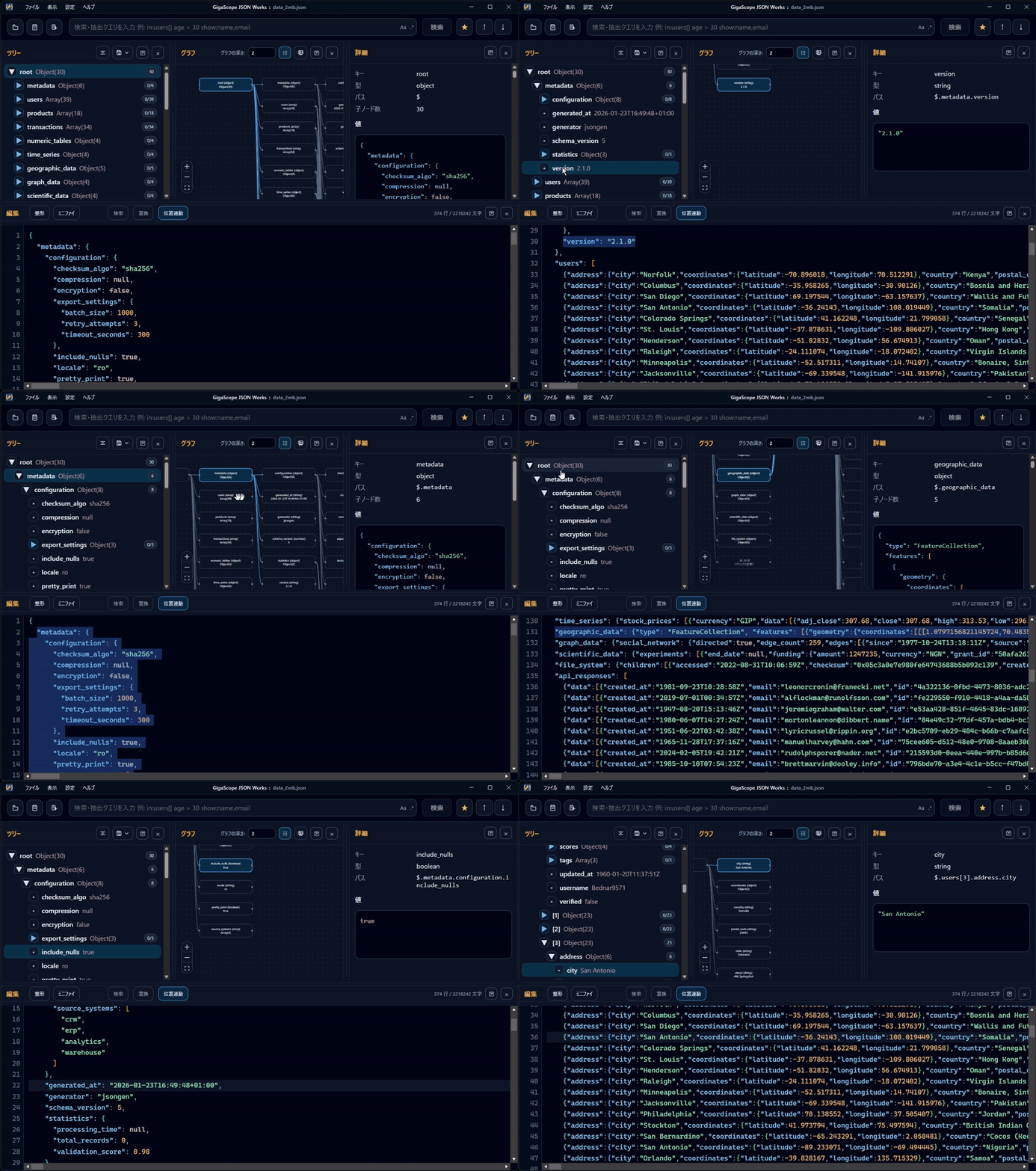
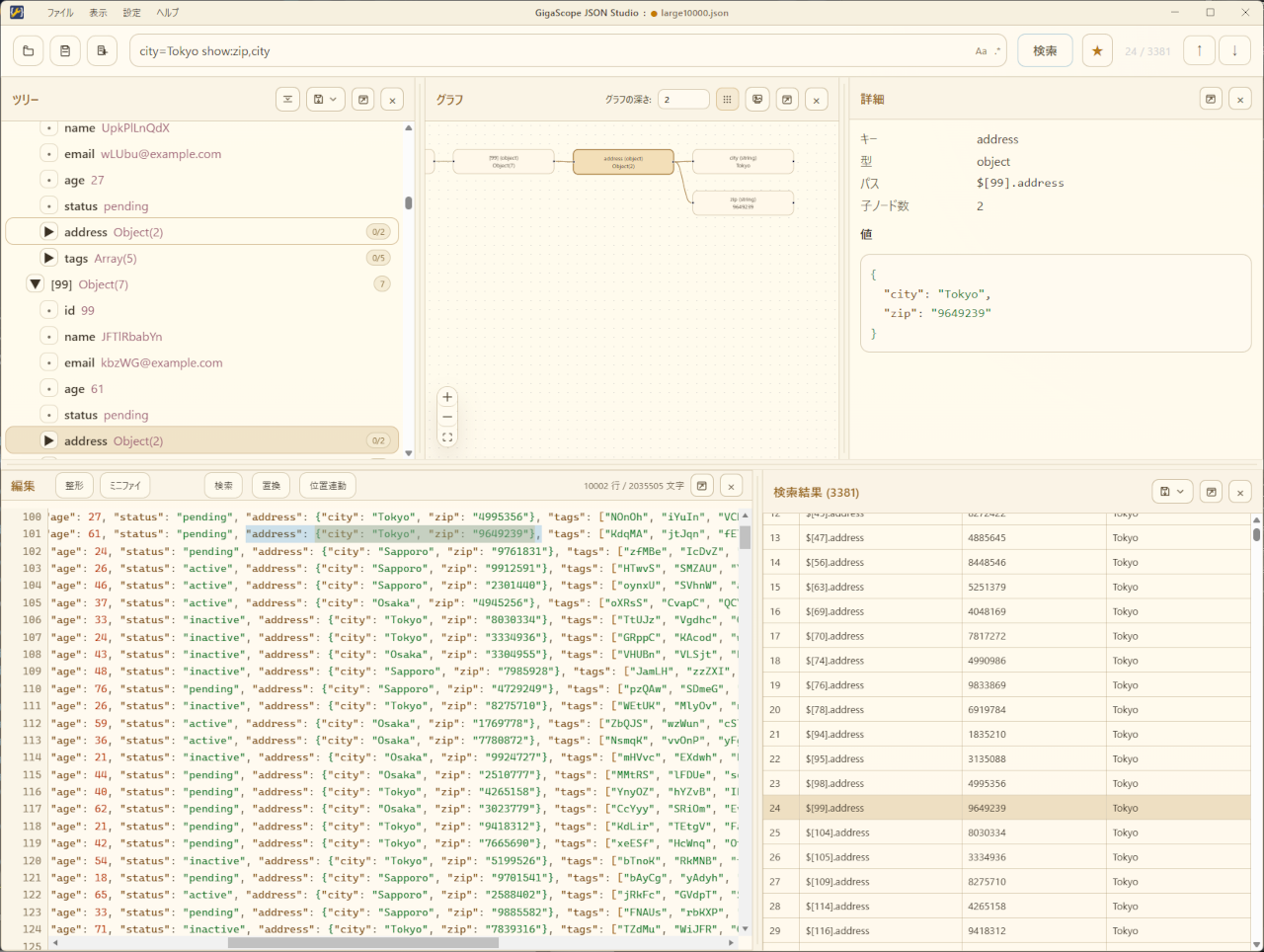
View and edit JSON, GeoJSON, and JSONL in synchronized tree, graph, detail, and editor panes. You can also explore and partially edit data files that are too large to fit in memory.
Download
Free, commercial use allowed
Screenshots
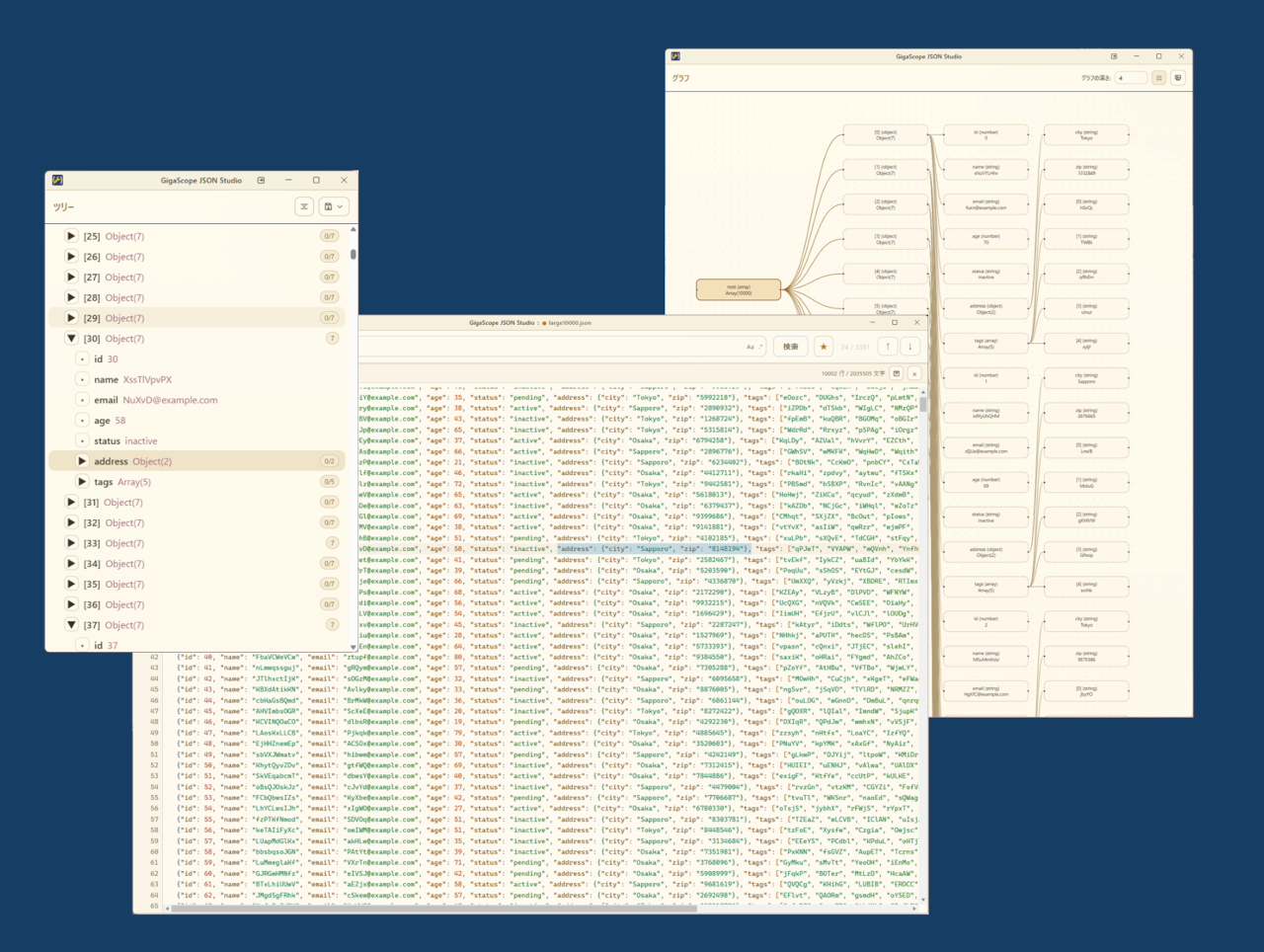
Arrange the panes to suit each task. Keep them together in one window, or detach each pane into a separate window.
Functions
| Function | Description |
|---|---|
| Synchronized views | Selecting a node in the tree, graph, detail, or editor pane updates the other panes. |
| Search | Search by keyword, key, value, or path, with filter conditions, regular expressions, and basic JSONPath. |
| Editing | Edit individual nodes or the JSON text. Standard Mode also replaces text throughout the file and saves the full document. |
| Large files | Index Mode reads nodes on demand from multi-gigabyte files instead of loading the entire file. |
| Window layout | Rearrange panes or detach them into separate windows for multi-monitor use. |
| Import and export | Import CSV files as JSON arrays. Export data as CSV, YAML, XML, JSON, or JSONL. |
Download
Windows
Installer
GigaScope
JSON Works-Setup-0.9.14-x64.exe
SHA256 hash: b5b38c5a9da58eae91bab5c1ed820901da79b443bf9ef7228f9fd06a7c4979ad
SHA256 hash: b5b38c5a9da58eae91bab5c1ed820901da79b443bf9ef7228f9fd06a7c4979ad
Installation
Run the downloaded file and follow the on-screen instructions to install the application.
Linux
AppImage
GigaScope-JSON-Works-0.9.14-x86_64.AppImage
SHA256 hash: 5d03d6fe25e39b36122452865f058168cdb89df069c311af473c87625807fcd3
SHA256 hash: 5d03d6fe25e39b36122452865f058168cdb89df069c311af473c87625807fcd3
Deb Package
GigaScope-JSON-Works-0.9.14-amd64.deb
SHA256 hash: 54235f9e27ca2f2a7a0f3f42fa36515ae107436e12f596bbd8e10c47d1c733cc
SHA256 hash: 54235f9e27ca2f2a7a0f3f42fa36515ae107436e12f596bbd8e10c47d1c733cc
Installation
The AppImage does not require installation. Make the file executable, then run it.
Install the DEB package using APT or another package manager. Once installed, launch the application by running gsjson.
Install the DEB package using APT or another package manager. Once installed, launch the application by running gsjson.
CHANGELOG
Version 0.9.14
2026-08-04: CHANGELOG
Product information
Product name
GigaScope JSON Works
Supported files
JSON, GeoJSON, JSONL, NDJSON
Operating modes
Standard Mode (up to around 100 MB), Index Mode (100 MB and larger)
* Maximum readable size depends on available memory.
* In Index Mode, an index file roughly 3 to 6 times the source file size is created.
* Maximum readable size depends on available memory.
* In Index Mode, an index file roughly 3 to 6 times the source file size is created.
System requirements
Windows, Linux (macOS versions coming soon)
Runtime
Runs as a standalone application. No additional runtime or framework is required.
Installation
Windows installer, Linux AppImage, and DEB package are available.
Import
Load CSV files as JSON arrays
Export
CSV, YAML, XML, and selected-node export as JSON/JSONL
Settings
Japanese / English, light theme / dark theme, shortcut settings
Contact
Contact Us
Please use the form below for questions, bug reports, or other inquiries.
Contact by form
 https://technohighway.co.jp
contactus@technohighway.co.jp
2-5-1 Azuma, Tsukuba-shi, Ibaraki 305-0031, Japan