
TREE
Navigate the hierarchy
Expand deeply nested structures and jump straight to the node you need.
A desktop app for working with huge JSON files
Browse and edit JSON smoothly with a synchronized hierarchical tree view, graph view, search bar, and editor. Work with the full contents of small and medium-sized files, or use Index Mode to explore and make partial edits to multi-gigabyte files.
Features
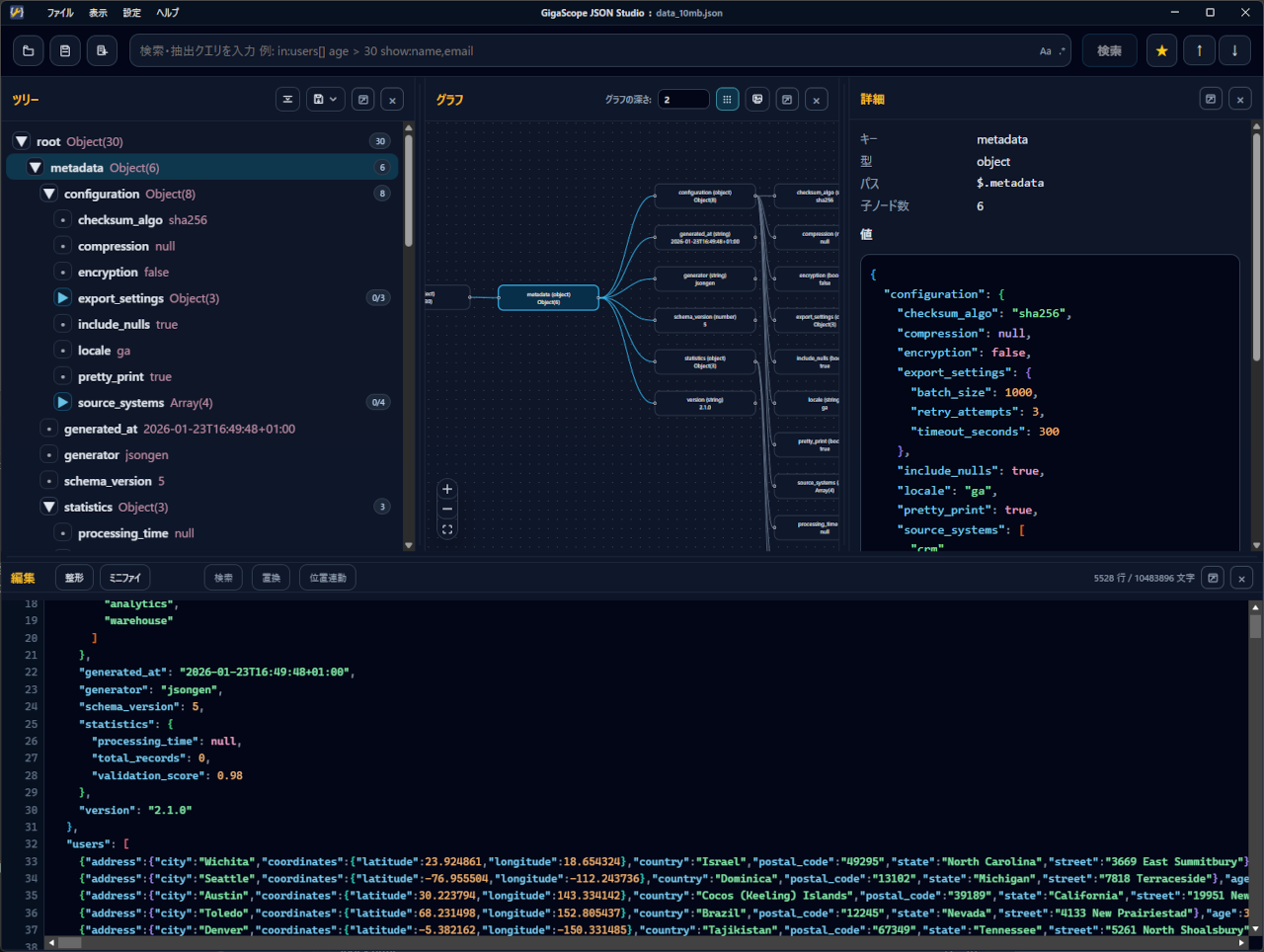
GigaScope JSON Works combines tree navigation, graph visualization, search, detail inspection, and editing.
These features provide a connected workflow for JSON, JSONL, and GeoJSON.
It handles both small configuration files and GB-scale data efficiently.
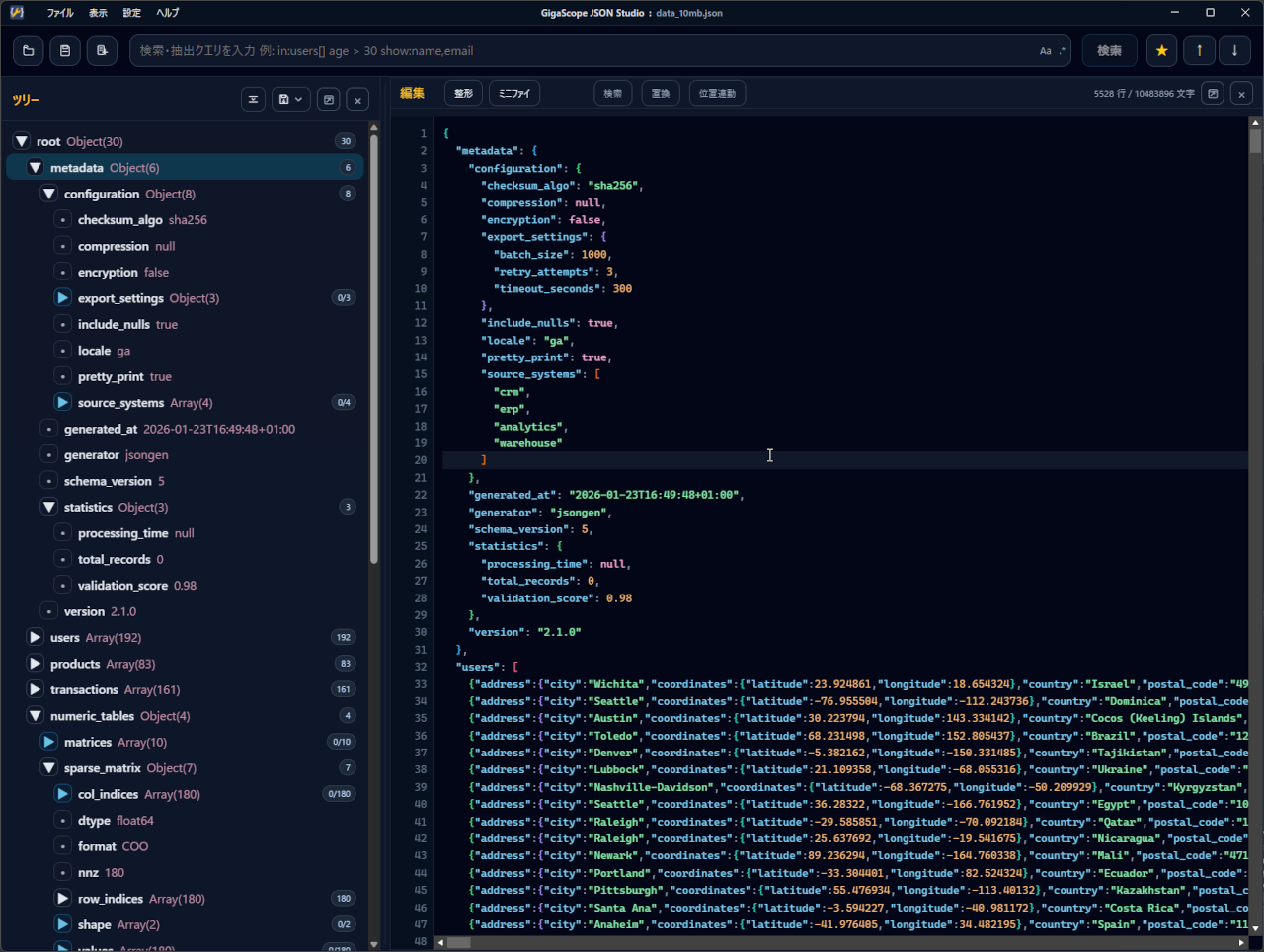
Expand deeply nested structures and jump straight to the node you need.
Visualize parents, children, and siblings so local structure is easy to understand.
Review the key, type, path, child count, and value for the selected node.
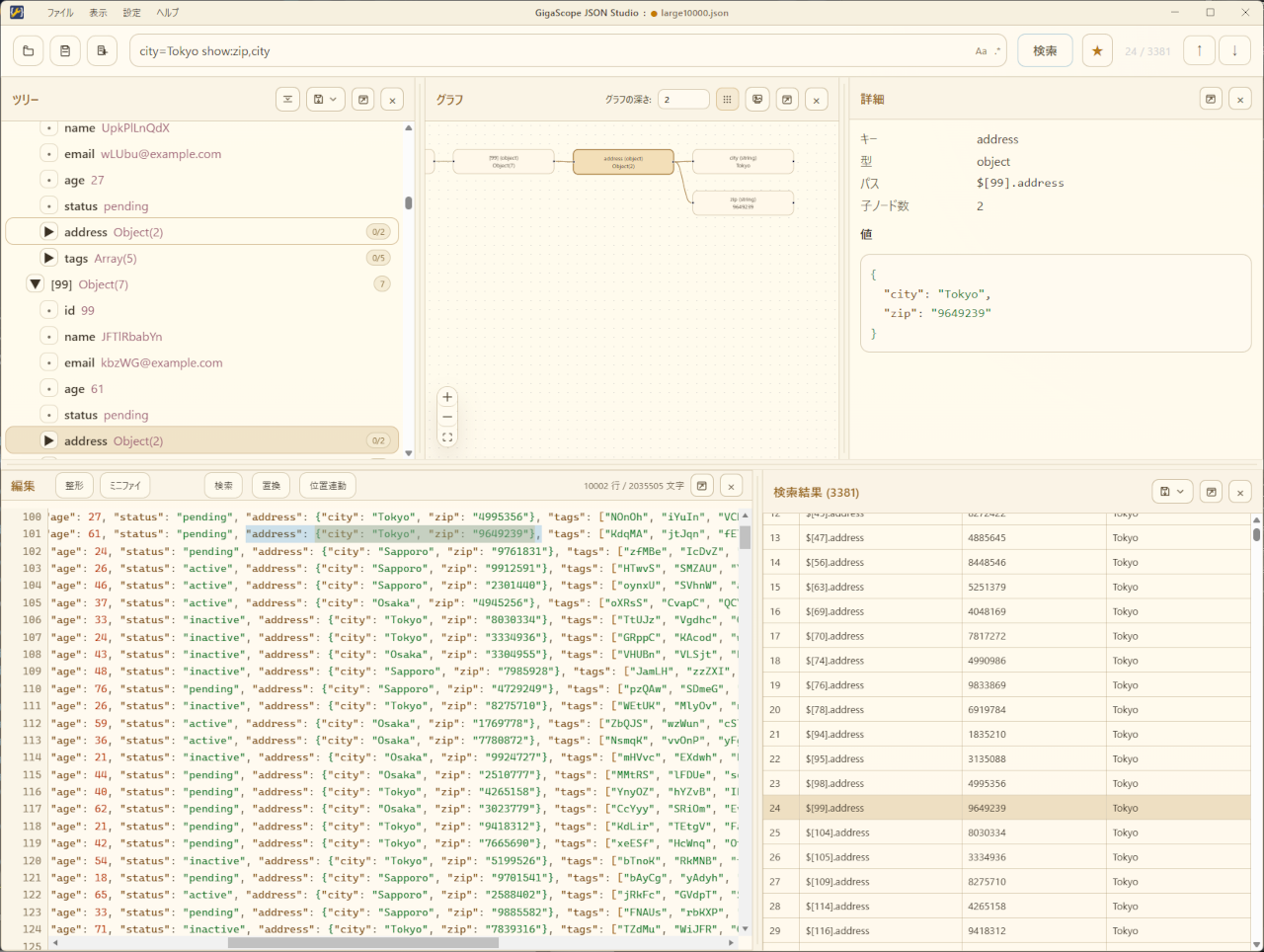
Search keys, values, and paths, then narrow results with condition filters or basic JSONPath.
Use syntax highlighting for direct edits, formatting, minification, and find-and-replace.
Export a selected node, import CSV as JSON, and write data as CSV, YAML, or XML.
Screenshots
The synchronized tree, graph, detail pane, and editor support JSON structure review, search, editing, and related tasks.
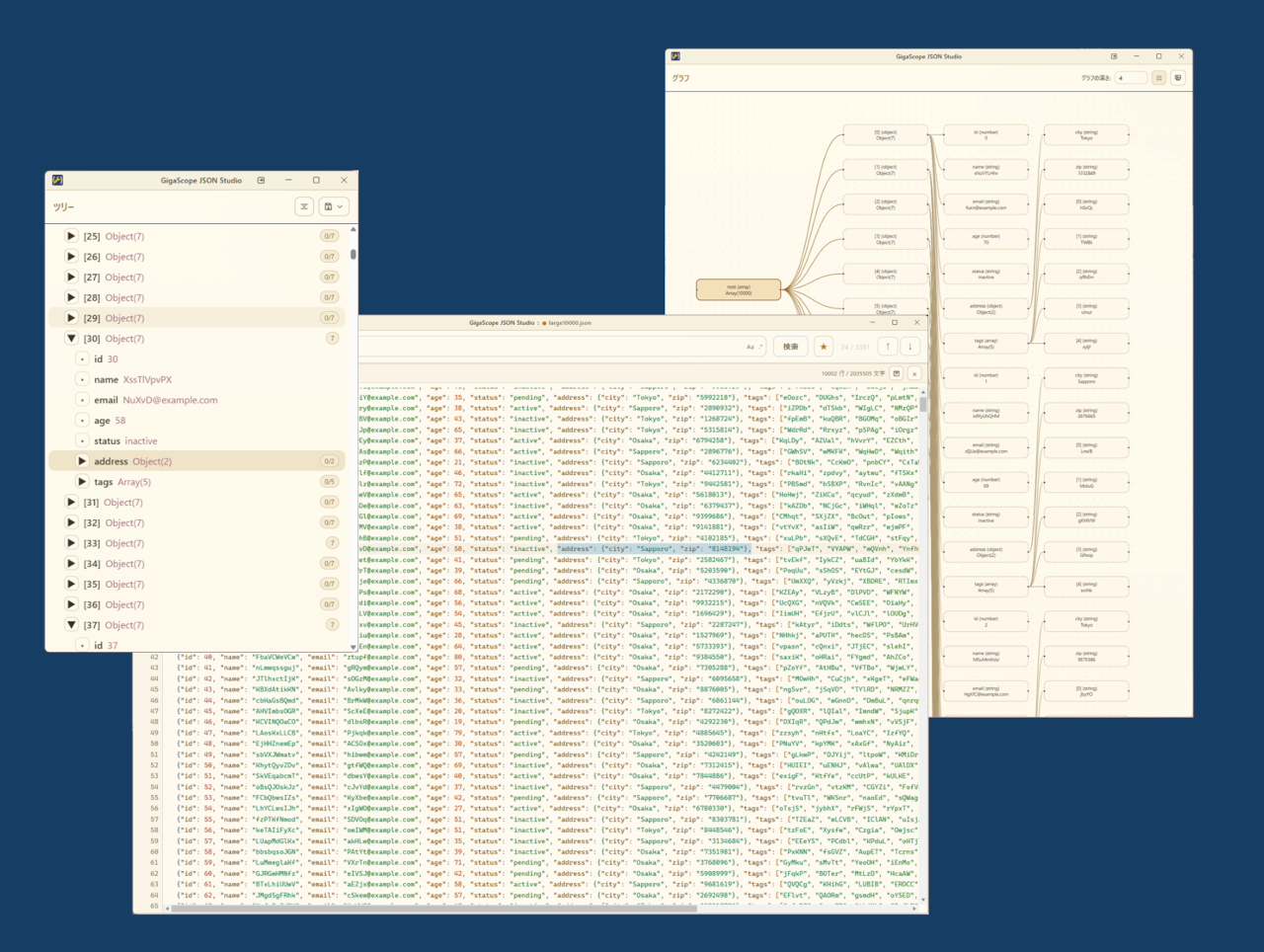
Each pane can be rearranged or detached as an independent window, making multi-monitor workflows easy.
Use Cases
Use the tree to locate an item, check its value in the details pane, edit it, and save.
Open huge files in Index Mode and export only the nodes you need as JSON or JSONL.
Import CSV as JSON, then export edited data as CSV, YAML, or XML.
Collect edits in Index Mode and write a new complete file with the changes applied.
Filter nodes by keyword, key, value, path, conditions, or JSONPath, then step through the matches.
Detach the tree, graph, details, editor, and search results into separate windows.
Download
Details
FAQ
JSON, GeoJSON, and JSONL are supported. CSV files can also be imported and converted into JSON.
Standard Mode is for small and medium-sized files up to around 100 MB and supports full-document editing, full-document search, bulk replace, and saving the entire file. Index Mode is for huge files several GB in size; it uses an index file created during loading to read node information, then supports exploration, limited-scope editing, and export.
In Index Mode, the original file is basically left unchanged. The editor works on individual nodes. Edits are accumulated as operation history and applied when you save all data as a new file.
Use Index Mode for huge files. Index Mode scans the source file and creates an index file with the .gjsidx extension. Once created, the index is reused when the same file is loaded again. The index file is roughly 3 to 6 times larger than the source file and is accessed randomly, so fast storage with enough free space is required.
Search supports keywords, key names, values, paths, condition filters, selectable result columns, and basic JSONPath. Regular expression matching and case-sensitive search can also be toggled.
Contact
Please use the form below for questions, bug reports, or other inquiries.
 https://technohighway.co.jp